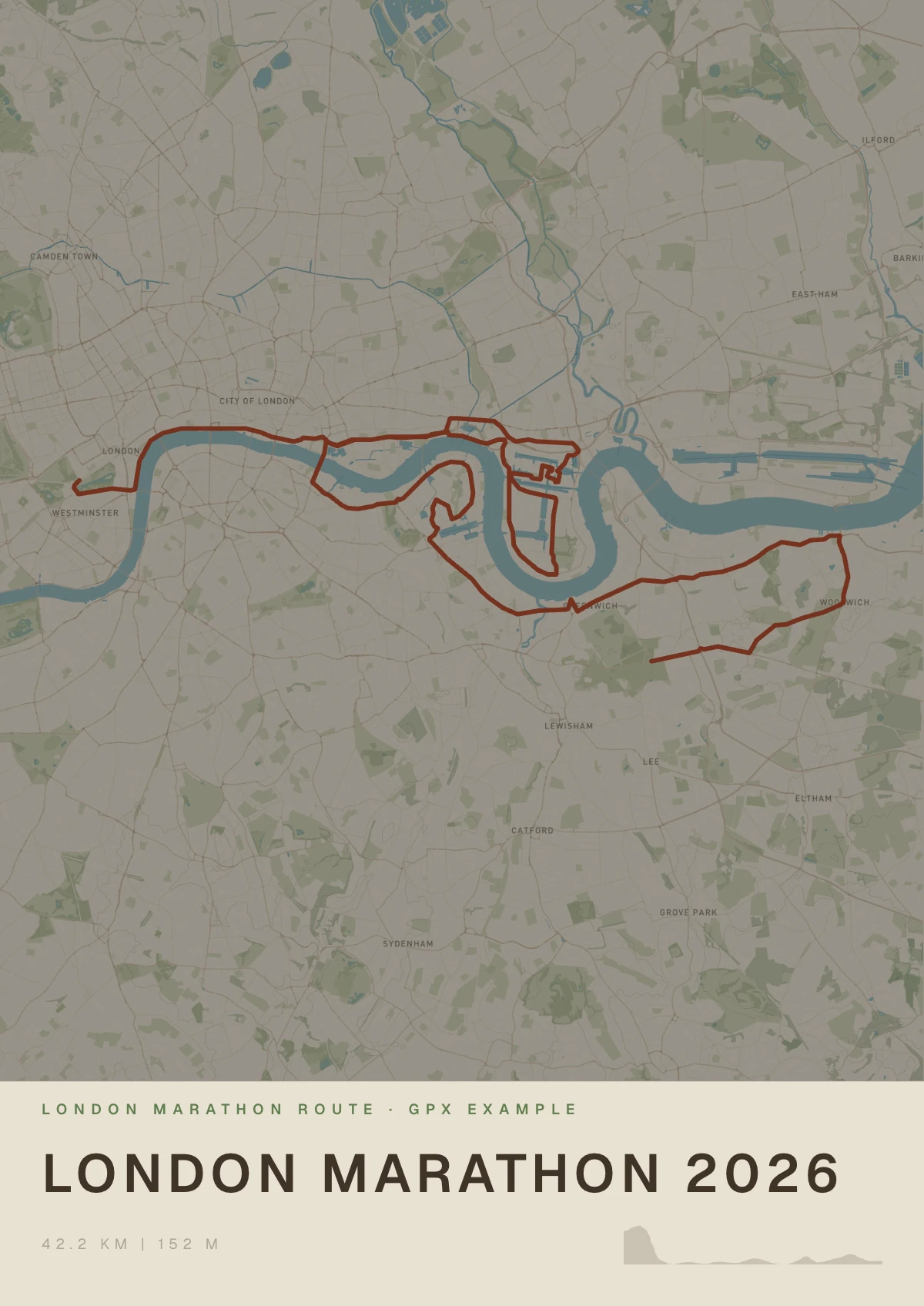
How to turn a Garmin GPX file into a poster
Open your activity in Garmin Connect on a computer and export it as a GPX file. Upload the file in Mappa Studio to make a poster of the route, then choose a digital download, an unframed print or a framed print.
1. Export the activity from Garmin Connect
Once your activity has synced, open Garmin Connect in a desktop browser. In the left menu, go to Activities → All Activities and open the run, ride or hike you want to print. Use the settings gear at the top right of the activity page and select Export to GPX. Look for the .gpx file in your downloads.
For a planned course, open Training & Planning → Courses on the Garmin Connect website. Open the course and use the three-dot menu next to Send to Device to download its GPX file. Use the activity export if you want the route you actually covered, including any detours.
2. Upload the GPX in Mappa Studio
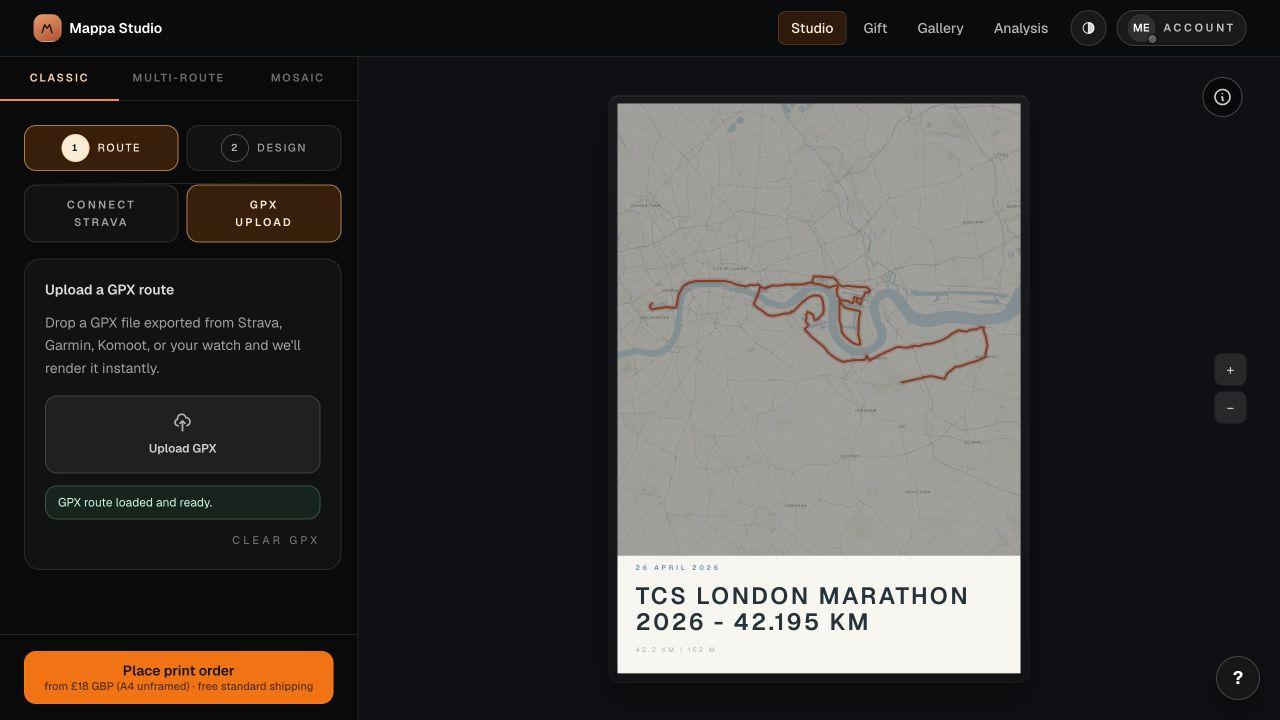
Open the studio and choose Classic for a single route. In the Route tab, select GPX Upload. Drop the .gpx file in the upload area or use Upload GPX to pick it from your computer. Once the preview updates, check the route shape and the location on the map.
To try this with a sample, use the public London Marathon GPX below. The screenshot shows that course in the studio with the GPX panel open.
3. Style the poster and check the stats
Switch to Design to choose a layout, route colour and map style. Give the print a short title, such as the race name or a place you remember from the ride. Check the title, date and route contrast at the size you intend to order.
Compare any displayed distance, elevation or duration with the original activity before printing. The preview uses the points and timestamps available in the file, so its figures may differ from Garmin Connect. For a course with no recorded time, show the route and distance and leave the time off.
4. Choose a size and finish
Select Place print order to see the available sizes, finishes and current prices. Choose an unframed or framed print for delivery, or select the digital download to print the file yourself. Review the full design and delivery details before checkout.