Your year in running or cycling: how to make a route poster
To make a poster of your year in running or cycling, bring your Strava activities or GPX files into Mappa, filter them to the period you want, and choose a layout. A mosaic gives each route its own tile; a multi-route map overlays them in their real locations. You can celebrate a full calendar year, a training block or a selection of favourite days. Here's how to make the result readable and personal.
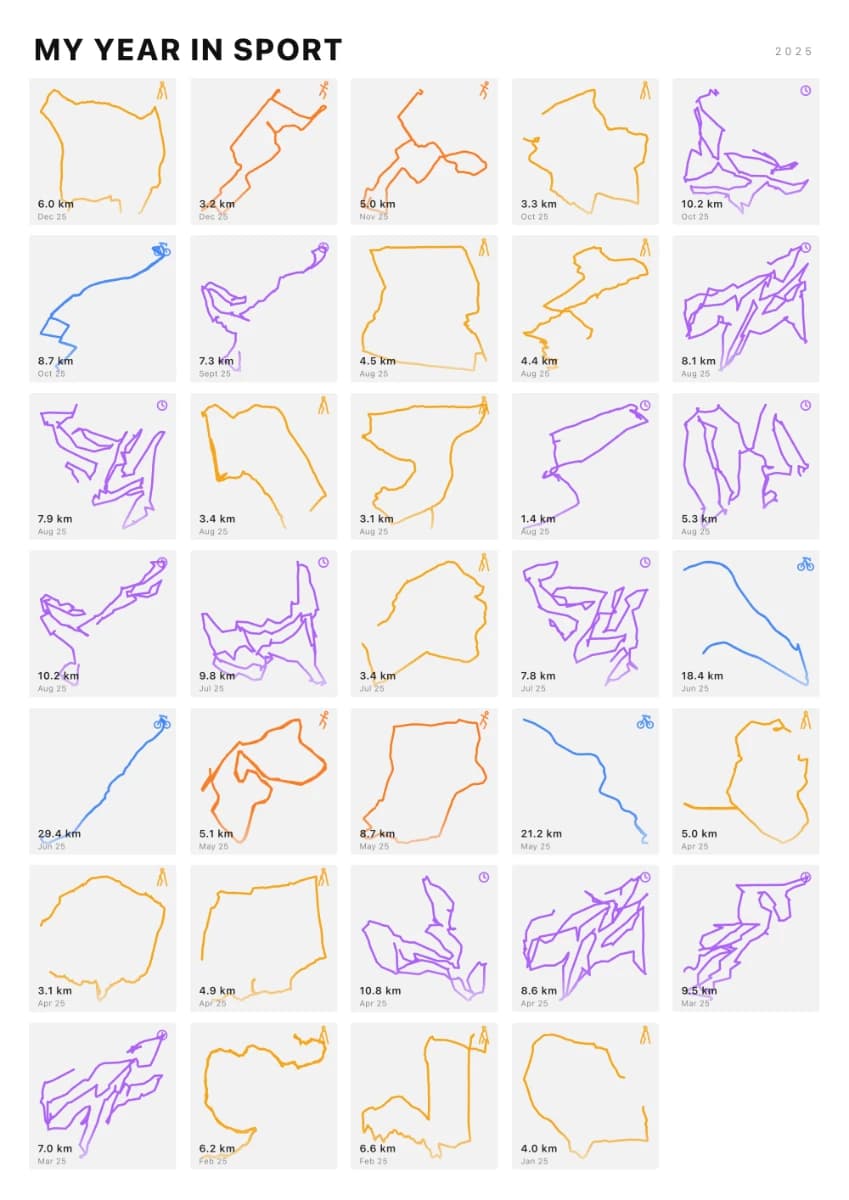
Start with the story you want to keep
A year of activity is more than its biggest race. The familiar lunchtime loop, a first long ride and a run on holiday can all deserve a place. Decide whether your print should show consistency, the places you explored or a handful of milestones before choosing the routes.
For example, imagine a runner with regular home loops, a spring half marathon and several summer trips. A mosaic keeps those different shapes visible. A cyclist who spent the year exploring roads around one town might prefer an overlaid map showing how the routes connect. These are two different ways to tell the same year's story.
Choose mosaic or multi-route
Mosaic arranges activities in a grid. It works well for routes from different places and for a mix of runs, rides and walks. In Mappa's mosaic designer, you can use one route colour or colour by activity type, and choose whether to show each route's distance and date.
Multi-route overlays your selected activities on one map. Choose it when geography matters: a year exploring your local area, a collection of mountain rides or the runs from one holiday. Routes on opposite sides of the world can force a very wide map view, making local detail harder to see. A mosaic is often clearer for that collection.
- Choose mosaic to compare individual route shapes and remember separate days.
- Choose multi-route to see where your activities overlap and how far you explored.
- Choose a single-route print if one race or ride is the main event you want to celebrate.
Bring in the activities, then check what has loaded
Open the mosaic or multi-route designer and connect your own Strava account, or upload GPX files. You can add several GPX files rather than combining them into one long activity. For uploads, check the activity type so a run is not labelled as a ride.
Strava activities load in batches. If older routes are missing, use 'Load more Strava routes' when it is available before deciding that your collection is complete. A year filter narrows the activities already loaded; selecting it does not itself fetch your entire Strava history. Activities without usable GPS route data will not appear as route shapes.
If you use both Strava imports and GPX uploads, check for the same activity appearing twice. A duplicate can add an extra tile or count the distance again. A complete-looking grid is not necessarily a complete activity record.
Set the dates and keep the label honest
Use 'This year', 'Last year' or 'Custom' in the date-range controls. Custom dates are useful for a marathon training block, a cycling season or a year that runs from one birthday to the next. Filter by activity type if you want only runs or rides, and use activity-name search for a particular series.
Check dates on uploaded GPX routes. A file without a date is excluded when a date filter is active; add the correct date in the uploaded-route library and check again. Do not give an undated activity a guessed date just to make it appear.
Update the poster title and year label to match your selection. If you make the print before December, 'My Running Year So Far' or 'January–October' is clearer than implying a finished calendar year. If you choose only favourite activities, call it 'Favourite Rides' rather than suggesting it contains every ride.
Make the collection easy to read
Try a simple background with a contrasting route colour first. Then compare it with colour by activity type if your mosaic mixes sports. A restrained design helps small route lines and labels stay visible.
Look at the whole poster as well as individual tiles. A dense collection can become difficult to read at a small print size. Try hiding the distance-and-date labels, choosing a smaller set of meaningful activities or selecting a larger format in the order options. Check the current size and price choices there before buying.
Inspect any displayed distance total against the routes included. It describes the imported selection, which may omit indoor sessions, unloaded activities or routes you deliberately left out. Use your training app for a complete training record; use the poster to show the collection you chose.
Check privacy and gifting before you order
Look closely at routes that start or finish at home, work or another private location, especially before sharing a preview publicly. A decorative layout does not guarantee anonymity. Leave sensitive activities out, or upload a version you have already edited to remove the detail you do not want to share.
If the print is for someone else, ask them for the GPX files they are comfortable sharing. Do not rely on being able to import another person's private Strava activities. If collecting the routes would spoil the surprise, a Mappa gift lets the recipient choose their own activities and design later.